
Get back in the game!
Step 1: Access Your Profile
Sign in at the top right. If you can’t remember your login credentials, contact us.
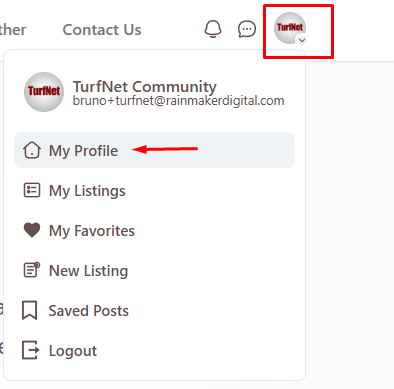
Click on your profile icon (top right corner), then select My Profile from the dropdown menu.
Step 2: Navigate to Subscriptions
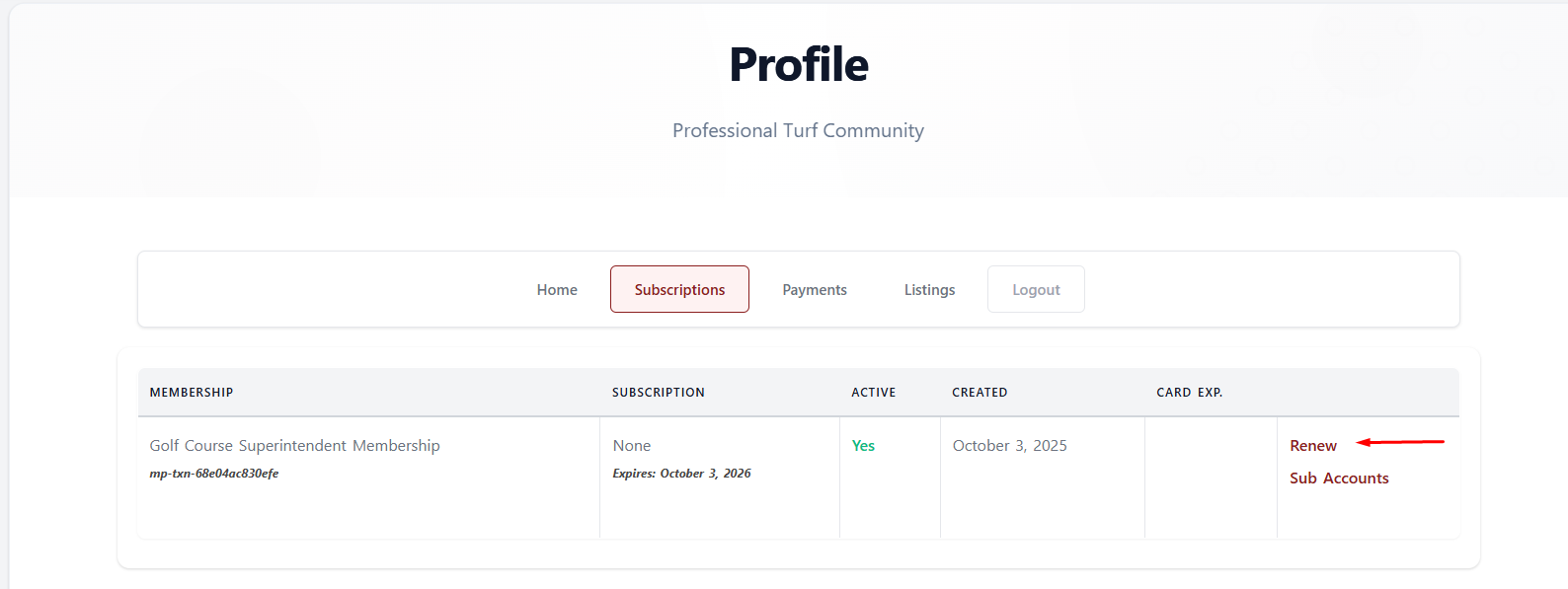
Once on your Profile page, click the Subscriptions tab.
Step 3: Renew Your Membership
You’ll see your membership history. Find your expired membership and click the Renew button.
Review the details and complete your payment.
What Happens Next?
Once paid, your membership will reactivate immediately and reset the renewal date to one year from today, so you’ll have 12 months of membership benefits moving forward.
Need Help?
If you encounter any issues, please contact us and we’ll help you get back in the game.
